
Shikshita Juyal started noticing an interesting trend while working with the founders and service providers she helps build MVPs through her company, Crework Labs. Their lead magnets, once a core part of any good marketing funnel, weren’t getting traction anymore.
The problem wasn’t the strategy—it was the format. Free PDFs and ebooks are everywhere now, and asking someone to download, open, and read a document is friction most visitors won’t tolerate.
The answer was a different kind of lead magnet entirely: one powered by AI.
“Lead magnets like ebooks or PDFs create cognitive load for website visitors; they have to download them, open them, and take the time to read all the details provided. It’s essentially adding one more task to their list. We wanted to find a way to provide instant value without causing any friction.”

How the AI lead magnet works
Instead of asking visitors to do the work, an AI lead magnet does it for them. A visitor submits something minimal—a link to their website or a pitch deck PDF—and instantly receives a personalized teaser of the kind of feedback and insights they could expect from working with that business. From there, the tool generates leads by prompting visitors to book a free consultation or submit their email for a fuller report.
In the past nine months, Juyal has built personalized AI lead magnets across more than eight domains, all designed to help founders get more sign-ups and booked calls. On average, these tools have increased conversions by 32%.
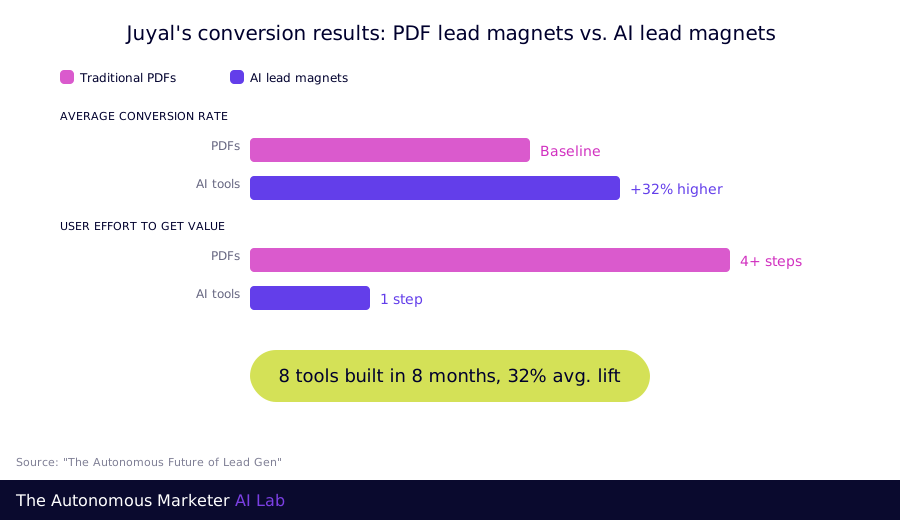
Let’s start with an example of the tools she built:
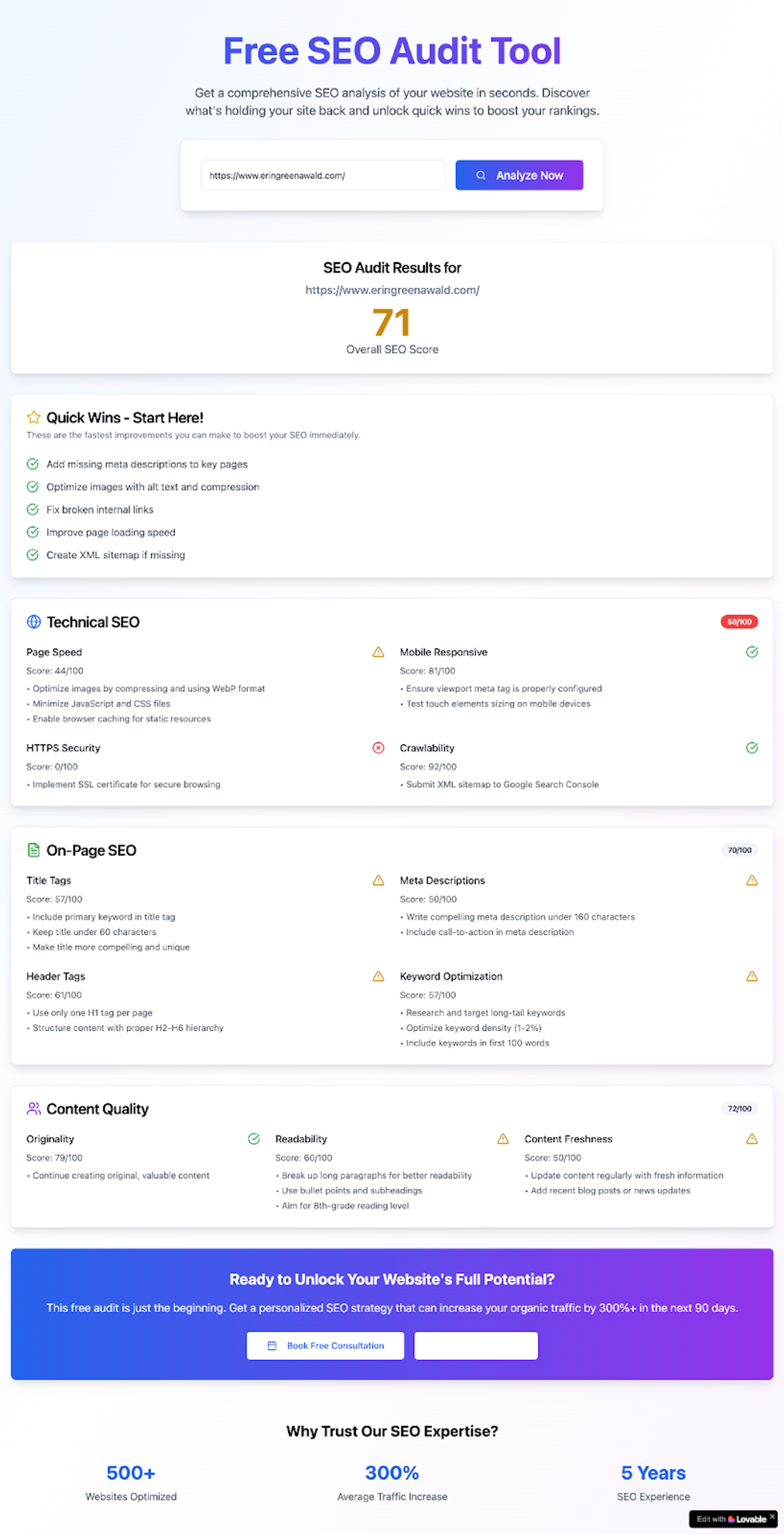
Example of an SEO audit AI lead magnet that Juyal built as a proof of concept for the AI lead magnet idea.
The good news is it’s possible to partner with AI tools to create an AI lead magnet, no technical knowledge necessary. Below, Juyal shares her workflow for using ChatGPT or Claude combined with a vibe coding platform like Lovable, which allows users to create web apps using plain English. (Replit and Cursor are popular alternatives.)
Here’s how you can start building your own.
The three-step process behind Juyal’s lead magnets
Step 1. Start with the one problem your customers keep asking about
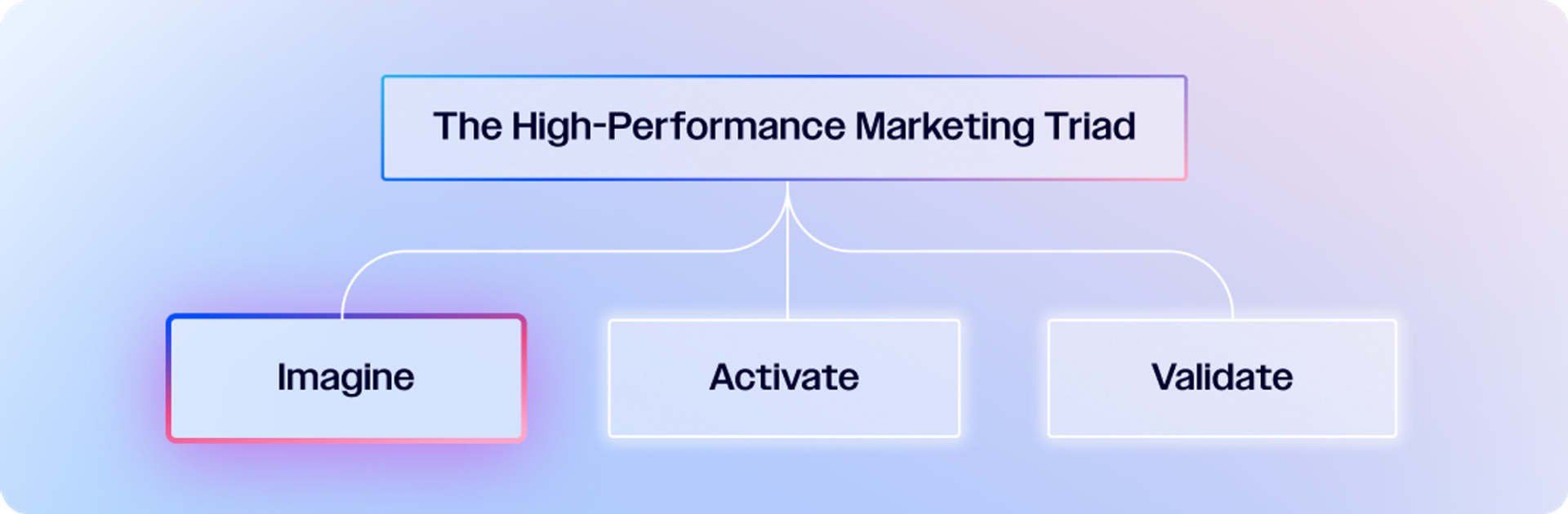
This is an imagine workflow in the Marketing Triad
A good interactive AI lead magnet will follow the same best practices as any effective lead magnet: It should tackle a single, core problem of your target audience and give them the feeling of a quick win. Ideally, it also shows off whatever your business does best.
Think about what customers come to you for, and how you could demonstrate that value in a small, tangible way. If you’re a graphic designer, maybe it’s logo feedback. If you’re a social media business, perhaps you offer ideas for improvement based on a customer’s recent social posts.
GPT Prompt
Act as a conversion strategist. I want to create an AI-powered lead magnet for my website that gives visitors immediate value and increases sign-ups.
- My business: [describe your business]
- My audience: [who your audience is]
- My goal: [generate leads, increase demo bookings, boost conversions]
Brainstorm 10 lead magnet ideas that:
- Are interactive or personalized
- Solve a real pain point for my audience
- Can be built using a simple AI workflow (text, form inputs, or file upload)
- Can be completed by a user in under 2 minutes.
For each idea, suggest: name, purpose, user flow, and data it collects.
If you already have existing lead magnets that are successful, think about whether there are ways you could adapt them to something interactive. A static PDF checklist could be a page of dynamic to-dos tailored to the website a user uploads; a fill-in-the-blank workbook could become a live conversation with a chatbot.
And if you’re feeling stuck, Juyal suggests chatting with some existing or potential customers about what they would find valuable—or even brainstorming with ChatGPT.
Don’t worry too much at this phase how you’ll achieve this—AI will help you sort that out next!
GPT Action
Upload current lead magnets you have and ask GPT if it has ideas for what an interactive version might look like
Ask ChatGPT what similar businesses or service providers are offering as lead magnets, and see how you can make it your own or tailor it to your unique approach
Interview some customers about what lead magnets they’d find valuable, upload the transcripts to ChatGPT, and have a brainstorming conversation around what themes and ideas stand out for potential lead magnets
Step 2. Turn ChatGPT into your personal CTO
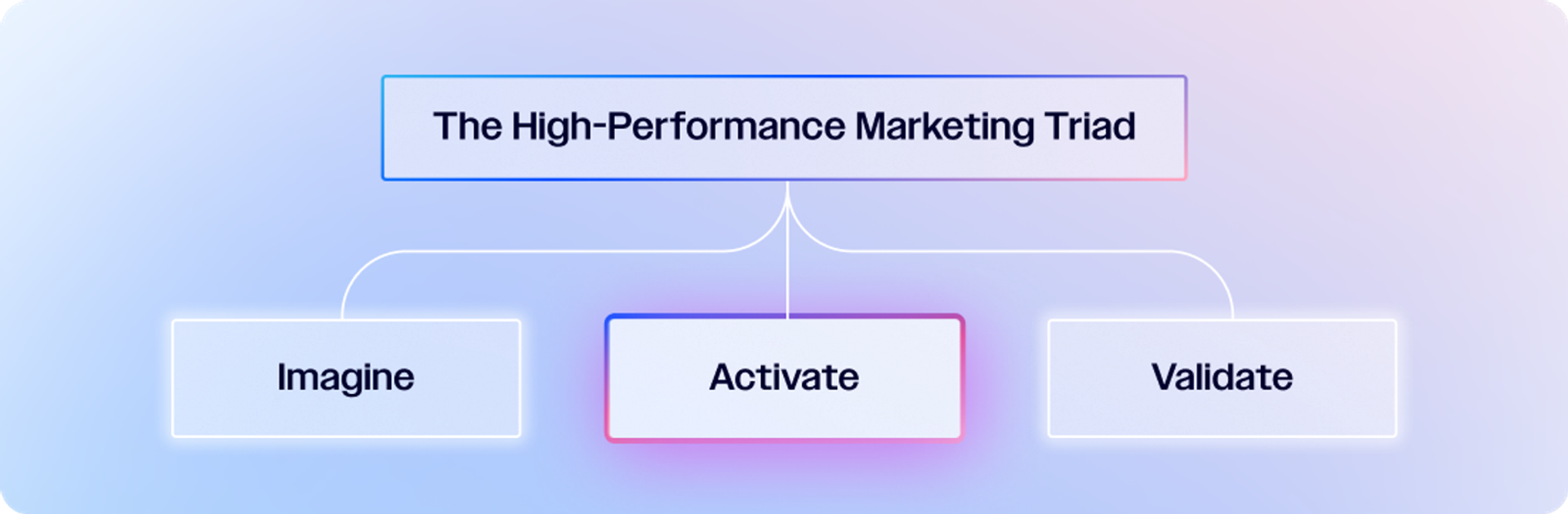
This is the activate workflow in the Marketing Triad
With a rough vision in mind for what your interactive AI lead magnet could be, you can turn to ChatGPT or Claude to brainstorm.
“Tell them to act as your CTO helping you build out this product,” suggests Juyal. “ ‘This is my goal, this is what I’m vaguely thinking about for my lead magnet, and now I want you to tell me to make this user experience as seamless as possible for a website visitor.’ ”
Through this conversation, the GPT should be able to help you identify the ideal user inputs and the outputs they can expect.
You’ll also want to have a plan for how you’ll package it as a lead magnet. How are you going to create some urgency for the user to opt in further? (Juyal loves giving the users a “score” for this, and focusing slightly more on opportunities for improvement than what they’re already doing well.)
What are you going to ask them to do (e.g., give their email address, book a discovery call) and what will you offer in return? Again, this can be a brainstorming conversation with ChatGPT.
Finally, you’ll want to give ChatGPT information on your unique approach to solving that problem for customers.
“This ensures your tool feels authentic to your brand—not like a generic audit anyone could get from ChatGPT,” explains Juyal. This could include what makes you stand out from similar service providers, and anything that you don’t do or want to avoid (e.g., no black-hat tactics, no jargon, no overpromises).
With that simple information, you can start to explain to Lovable in simple language what you want your web app to look like: “I’m trying to create a lead magnet which will perform X function. A user will come and insert Y input and click a button to get Z output.” You could even ask GPT to write the training data based on your conversation to drop into Lovable.
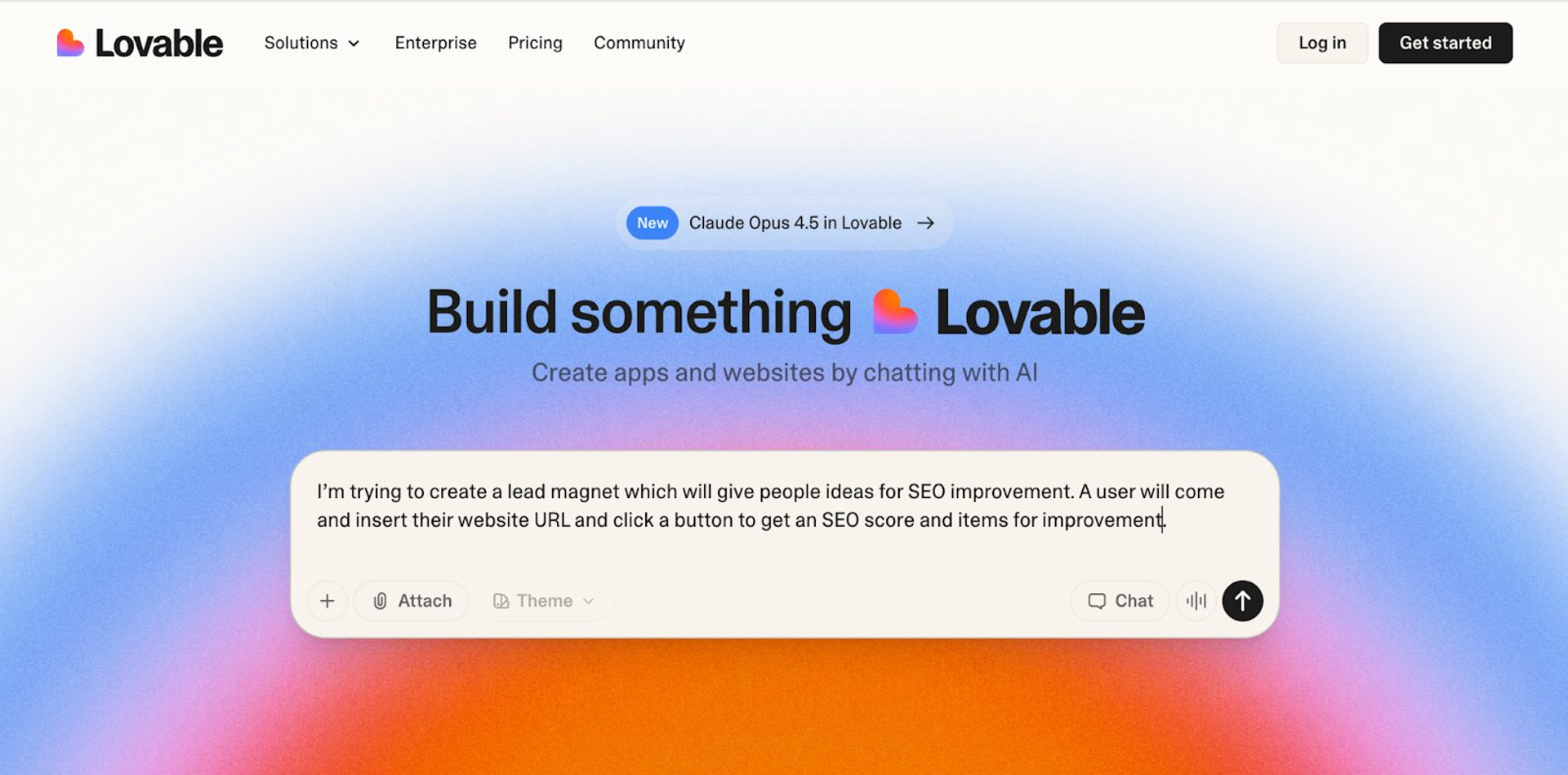
GPT Action
Ask GPT to propose a simple workflow for your lead magnet, including inputs and outputs
Brainstorm what will encourage a user to engage with you further based on your lead magnet
Feed the GPT information on your unique approach to your work: services, positioning, podcast transcripts where you talk about your approach, etc.
Using all this information, ask ChatGPT to write training data for Lovable to start building this app
Lovable Action
Go to Lovable and, in the chatbox, drop in the initial instructions from ChatGPT
Make sure to explain everything you want your app to do in plain language, including:
-Defining your app inputs (e.g., website URL)
-Sharing a company profile of what you do, who you do it for, and your unique approach that should be reflected in the app
-Configuring the backend flow so GPT transforms those inputs into the desired outputs
Step 3. The iterative loop that took Juyal from polished to useful
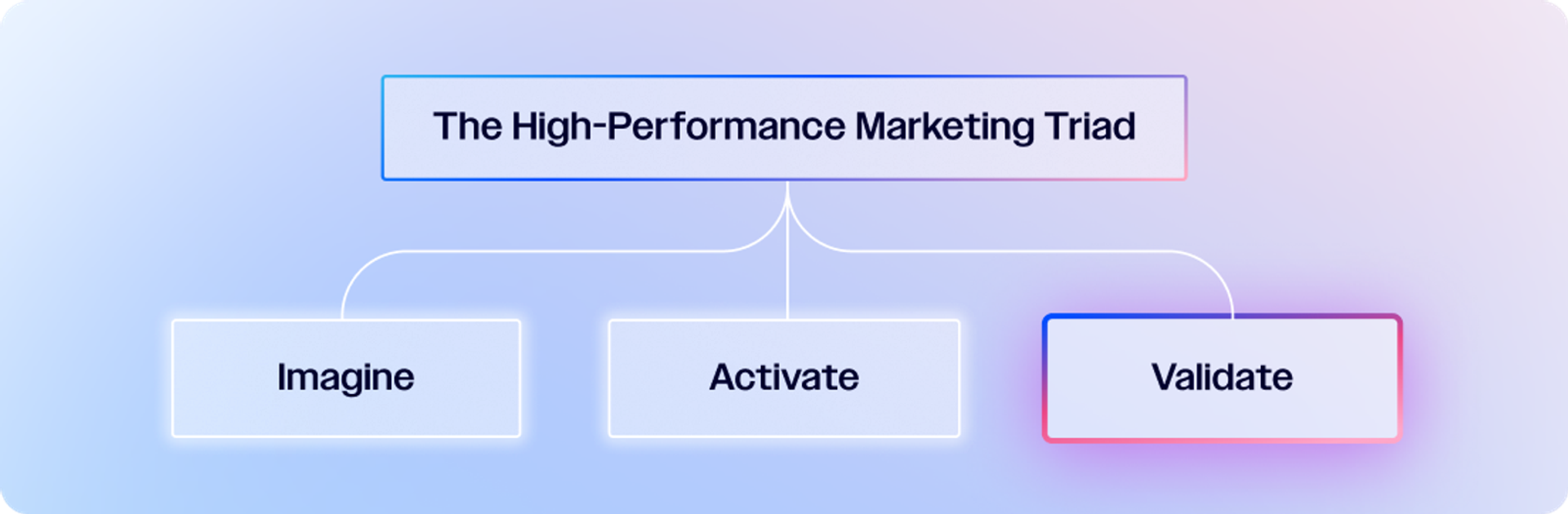
This it the validate workflow in the Marketing Triad
Once your first version is live, expect it to need refinement. As Juyal explains, her early iterations “looked polished but weren’t useful”—the tool either offered vague, high-level advice or produced exaggerated numbers. The goal of this stage is to tighten the logic, strengthen the accuracy, and make your tool behave more like a smart strategist than a generic chatbot.
A good starting point is to train your app to ask clarifying questions whenever inputs are incomplete. If your tool doesn’t have enough data to produce meaningful insights, consider instructing the tool to:
- Say “not enough or insufficient data”
- Prompt the user for missing information instead of making assumptions or guessing
For tools that rely on metrics or quantitative inputs, like SEO audits, Juyal recommends forcing the model to “show its math” so users can see how it produced keyword gaps, scores, or recommendations. This transparency builds trust and helps you catch inaccuracies early.

From there, commit to a cadence of improvements: update your training data with new client examples or best practices, review outputs monthly to catch odd or repetitive suggestions, and set up a feedback loop so your team can flag anything that feels unclear or off-brand.
Just make sure to be as descriptive as possible. If Lovable is giving an output you don’t like, you have to be specific: ‘For X, Y, Z, you have given this output, but this is what the expectation is because of A, B, C reasons.’ If you’re clear, it’s very possible to get the results you’re looking for.
In other words, treat this as an ongoing collaboration. The more precisely you guide the model, the closer you’ll get to an interactive lead magnet that genuinely shows off your expertise and consistently converts.
With the help of this process, you could build a lead magnet tool that gives website copy or design suggestions, that calculates cost savings from working with your company, that analyzes the potential ROI of bringing your expertise to the table—there are so many options, just get creative with showing off what you have to offer.
Lovable Action
Use Lovable’s prompt editing to refine outputs.
Add conditional flows, e.g., “If unsure, say ‘Not enough data’ instead of guessing.”
Over time, retrain or refine prompts in Lovable with new examples and add “version updates” so users see the tool is improving.
Feed anonymized past outputs back into GPT, so it learns what “great” looks like.
Juyal’s final advice for building your AI lead magnet?
“Just play around. You don’t need to be super technical—keep experimenting, breaking things, and fixing them. Step by step, you’ll figure it out.”
Resources to replicate Shikshita's workflow: