How Joy Joya went from 10 hours to 1 of content brainstorming per week

What if you could use AI to build a process that integrates directly with all your most-used tools and serves as a thought partner to help brainstorm content ideas?
That’s exactly what founder and creative director Laryssa Wirstiuk set out to build when she and her team of five at Joy Joya, an email + SMS marketing agency for women-focused ecommerce brands, were looking for a way to streamline their content strategy workflow and come up with ideas faster for their roster of clients.
The end result? Five to 10 hours saved every week and an autonomous AI assistant that integrates directly with Slack and Notion through Make to handle social media content ideation.
Why a five-person agency built a custom content brainstorming engine
With dozens of clients, strategy documents, brand guidelines, and editorial calendars to manage, Wirstiuk wondered if AI could help her team streamline their content process. In the summer of 2024, she reached out to an Upwork developer to see what was possible.
“Upwork is my go-to for those kinds of more exploratory projects, when I’m just trying to see, oh, what could we do?” she shares. “Maybe I’m not super clear yet on what I want it to be, but from there I can tap an expert and get their perspective.”
The developer had built a similar engine for another marketing agency with a different use case, but was familiar with the work and was game to help Wirstiuk get this agent up and running using Make, an integration and automation development platform.
“The system works like a hybrid AI assistant that sits in the middle of our content planning workflow.”

The AI assistant:
- Identifies the client
- Pulls their brand information and content strategy from Notion
- Sends everything to AI to generate customized ideas
- Places those ideas into a Notion database where the team reviews, edits, and approves them.
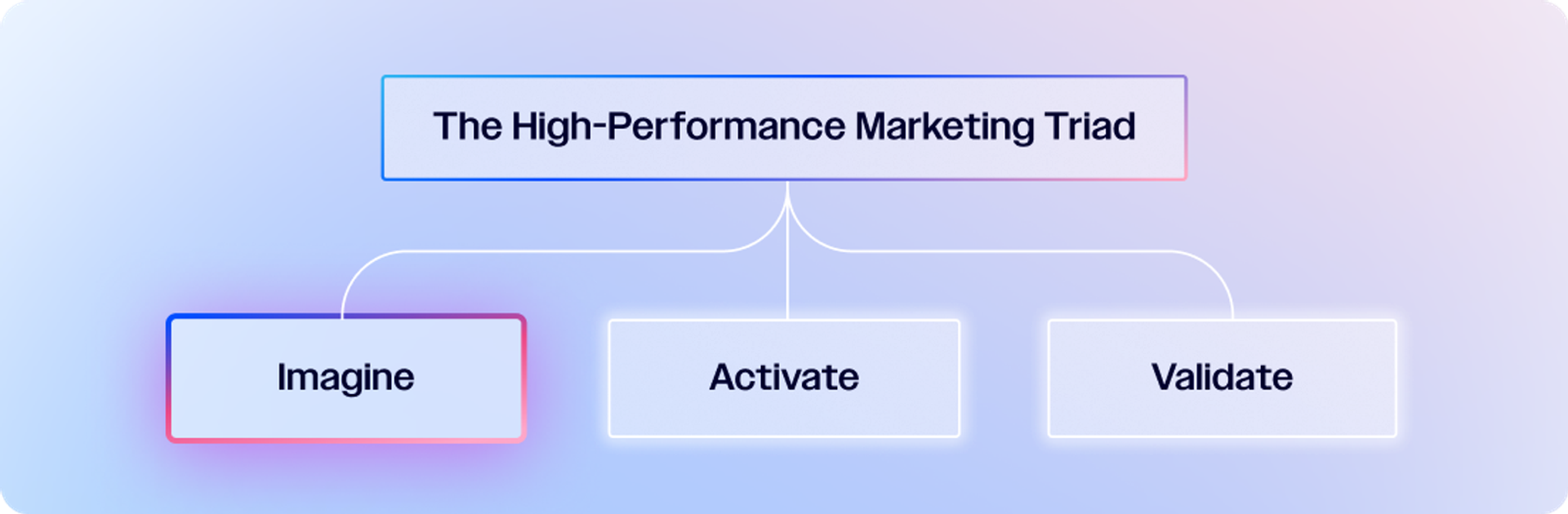
This is autonomous marketing, showcasing an imagine workflow.
When ideas are approved, a second automation automatically transfers them into the client’s content calendar.
The developer handled everything: workflow design, integration points, AI prompt structure, and the initial Make scenarios. “They architected the logic end-to-end,” Wirstiuk says.
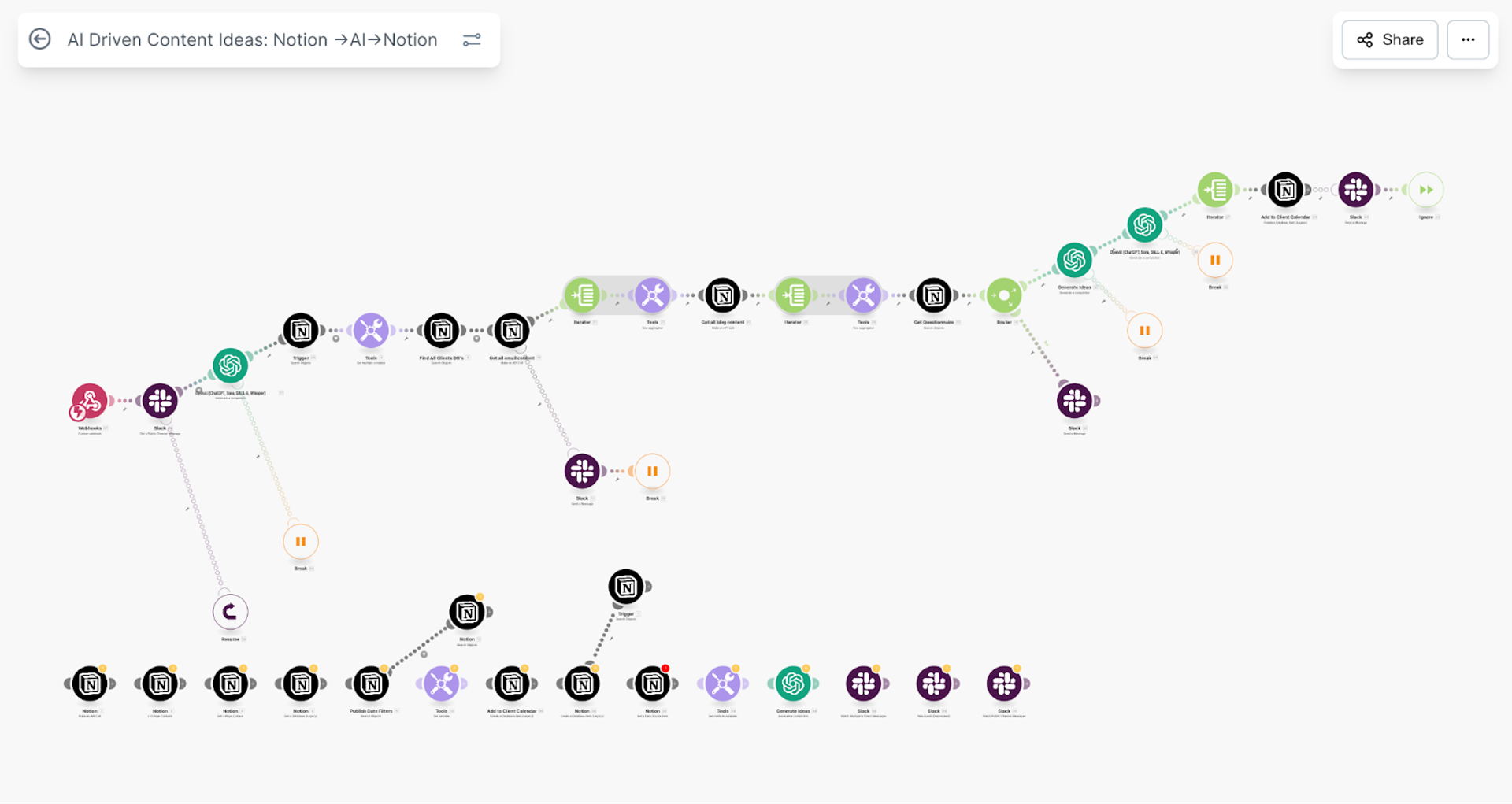
A map of the Make workflow
Now, Wirstiuk collaborates with the developer to maintain the system—adjusting prompts, updating logic, troubleshooting edge cases, and refining the workflow as the Joy Joya client roster grows.
“From the team’s perspective, it feels like placing an order with an AI assistant and receiving a batch of tailored, on-brand ideas in Notion without ever leaving Slack,” Wirstiuk explains.
Wirstiuk says the output includes social media content ideas for Instagram, Facebook, Pinterest, and occasionally TikTok, with:
- Storytelling ideas
- Educational posts
- Product highlights
- Behind-the-scenes concepts
- Content aligned with upcoming events or promotions
- Seasonal themes
- Customer-focused posts
- Brand-building content
- Email themes
- Blog prompts
- SMS concepts
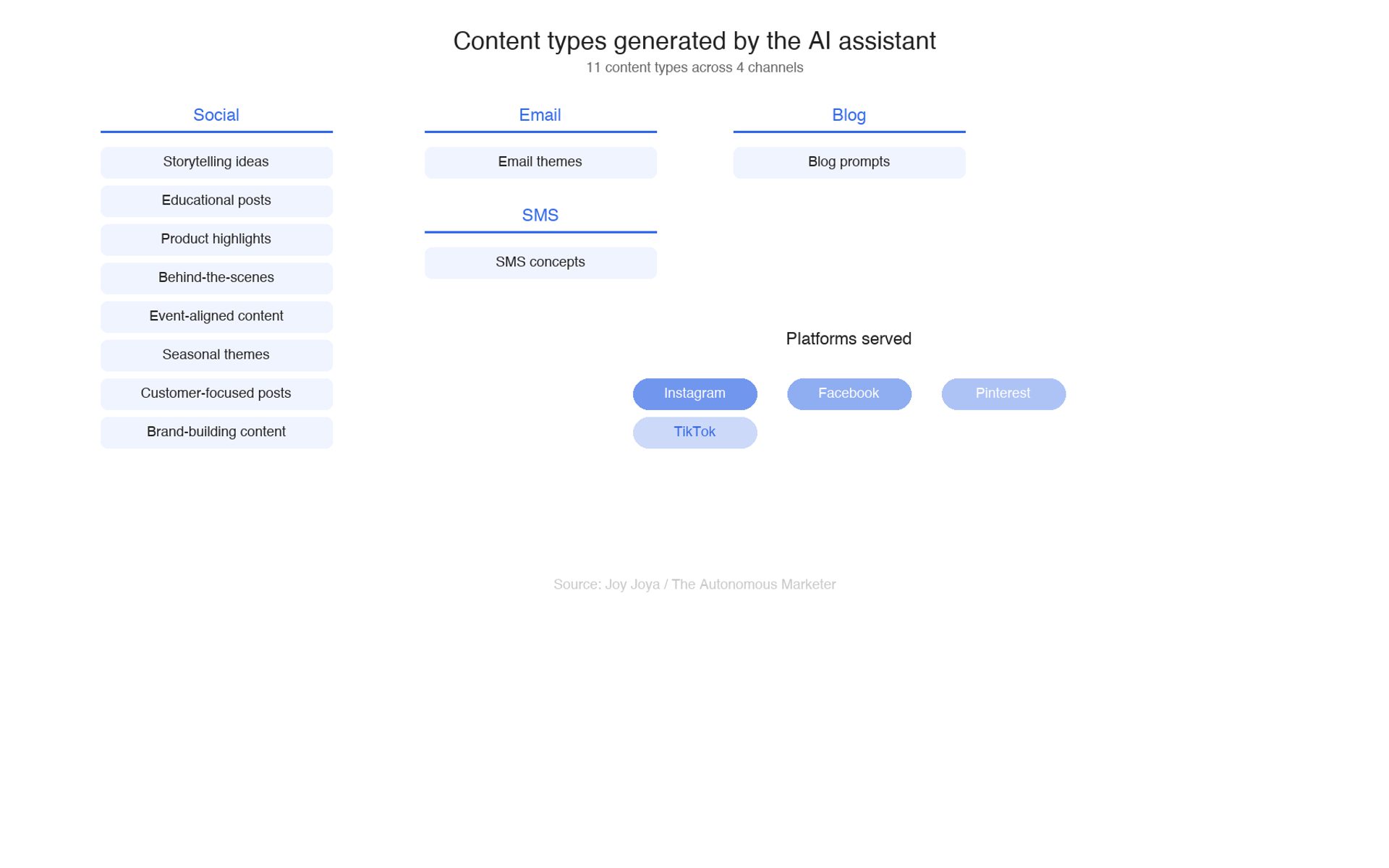
Maping content types explored in the workflow
From Slack message to content calendar in nine steps
Here’s how the sequence works in practice:
Step 1: A team member posts a message in Slack inside our dedicated channel, following a simple pattern:
“Generate ideas for [Client], [Monday date].”
- Step 2: Make listens for that message using a Slack module that monitors new messages in that specific channel.
- Step 3: AI parses the Slack message to extract the client name and the correct start-of-week date. That ensures the automation can’t run with missing or malformed input.
- Step 4: Make retrieves client context from Notion, including: brand voice, content pillars, product categories, current promotions, and any events happening that week. This makes the AI output specific and strategic, not generic.
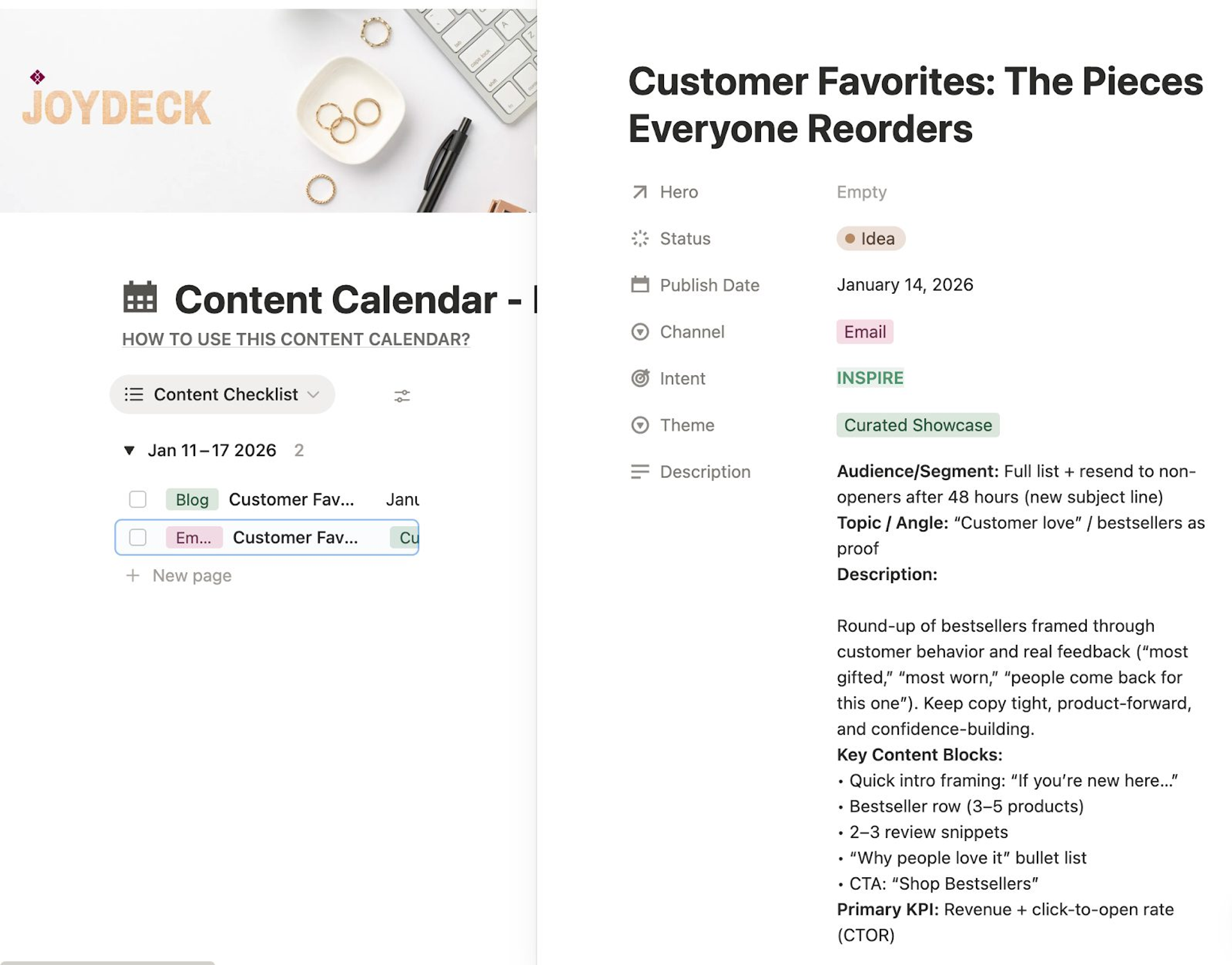
Each brand has a page with details in Notion that the AI can use as a knowledge base.
- Step 5: The compiled context is sent to an AI model—OpenAI GPT, in this case—in a well-structured prompt instructing it to generate social media ideas tailored to that client and week. “It guides AI into the role of the person who might be doing this kind of job,” Wirstiuk says. “Then it explains the task in great detail as well as gives it some boundaries in terms of date/time and what to reference.”
- Step 6: A second AI step cleans the output, ensuring second-person voice, platform-agnostic language, and consistent formatting.
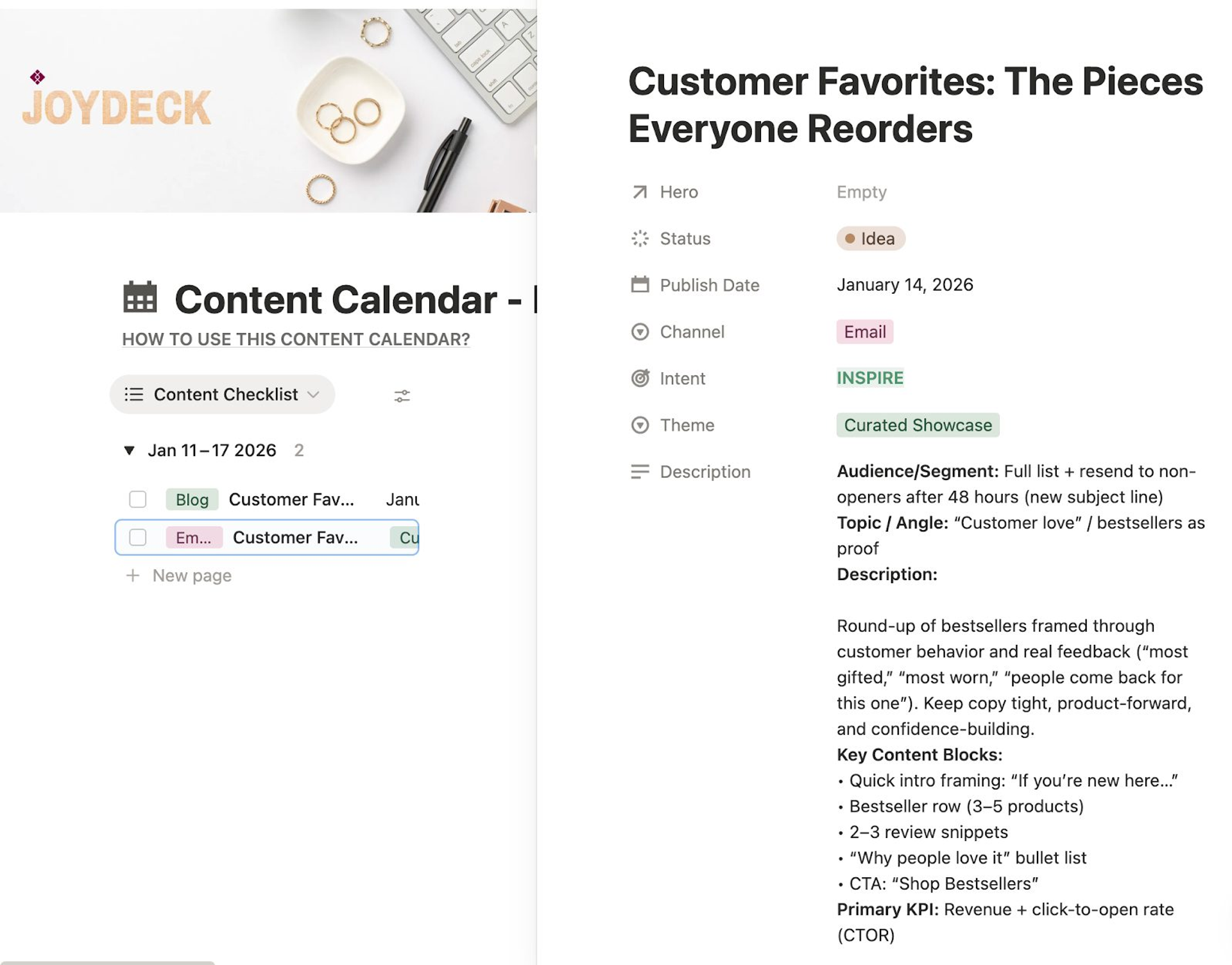
Step 7: Make writes each idea into Notion in a database called Content Idea Review, with status = “In Review.”
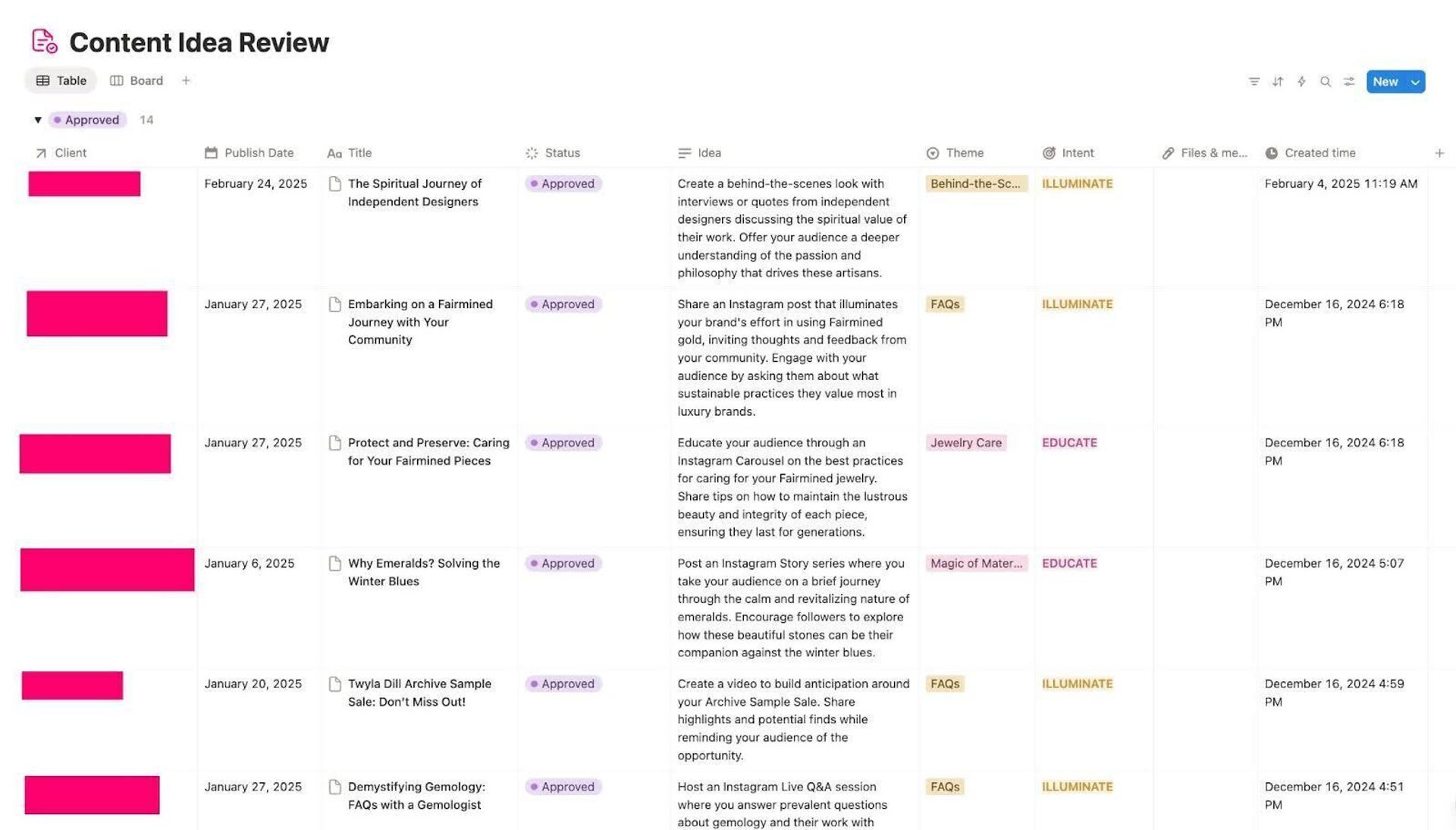
- Step 8: Her team reviews them in Notion every other week, edits as needed, and approves favorites.
- Step 9: A second Make scenario monitors for ideas marked “Approved.”
When that happens, Make:
- Creates entries in the client’s content calendar
- Marks the idea as “Transferred”
- Notifies the team through a status change
That’s the full loop—Slack → Make → AI → Notion/Knowledge Base Review → Content Calendar.
“This setup helps us save hours of administrative time each week while ensuring that every idea aligns with the client’s brand identity and strategic goals,
This tool enables Wirstiuk and the team to invest more time and attention on strategic, higher-level initiatives for clients. In addition to getting even more value for their investment, Wirstiuk says they’re “able to accelerate results faster and also test more.”
What Make actually does behind the scenes
Working with a developer who understands the backend of this technology has been key, according to Wirstiuk.
“It’s a pretty sophisticated scenario with a lot of conditional flow built in,” she says. “Make is really acting as the backbone coordinating all these moving parts.”
- Routers in Make allow the workflow to handle different clients, specific content calendar structures, or unique brand rules.
- Filters ensure the Slack message contains the required information before the scenario continues.
- Conditional blocks determine how much client context is passed into the AI based on what’s relevant for that week.
- Iterators are used when AI returns multiple idea objects that need to be processed individually.
- Break modules are built in to prevent Notion API throttling and ensure each idea transfers cleanly.
AI isn’t perfect and Wirstiuk and her team don’t always accept what it suggests. They’ll reject an idea when AI mentions a platform a client doesn’t use, recycles older topics at the wrong moment, is overly generic, or doesn’t align with the week’s strategy.
An idea that impressed
One idea that really impressed me was for a jewelry brand preparing for an Open Studio Weekend. The AI suggested hosting a “Live Virtual Q&A”—not as the main post, but as a pre-event warmup that allowed the designer to answer questions from customers who couldn’t attend in person. It also suggested filming a 30-second walkthrough of the studio setup to build anticipation.
It felt specific, actionable, and emotionally intelligent—something we probably wouldn’t have brainstormed as quickly manually.
More clients, less burnout, better ideas
This workflow has been invaluable to Wirstiuk and the Joy Joya team.
The system forces all ideas to connect back to the client’s strategy because the AI prompt pulls directly from their brand documentation.
“That alone has increased clarity and cohesion in the weekly content,” Wirstiuk says. “Clients have actually commented that the ideas feel more consistent and more aligned with the themes we’re focusing on.”
With this tool:
- Joy Joya can serve more clients without increasing team burnout—the team currently works with about 10 clients that benefit from this tool.
- Team members spend their time refining and elevating ideas, not generating them from scratch, saving about five to 10 hours per week, on average.
- Consistency and quality have improved—and as noted above, it’s definitely being noticed by clients.
- Calendars are more strategic because humans now have more time for planning rather than admin work.
Wirstiuk says since the AI always gives them a large pool of ideas, the team is consistently able to generate 3–4 strong posts per week without dry spells.
The 33% acceptance rate that makes the system work
Here’s something important to remember: this workflow requires the creativity and discernment of the human brain to work at its full capacity.
Remember that this entire process starts with deep research and a true understanding of each client’s background, goals, and voice. Without this being documented in detailed brand profiles created by humans in Notion, the AI agent has nothing to work with.
At the end of the day, AI provides the Joy Joya team with 10–15 ideas and humans approve 3–5 that best match the brand strategy, i.e., about a 33% success rate. Ideas are strategically placed in the content calendar with storytelling flow, and final edits always happen on Joy Joya’s end before the client sees anything.
“We treat AI as a brainstorming partner, not a decision-maker. The AI creates volume and variety, but our team applies the strategy and taste.”
Resources to replicate Laryssa's workflow