
James Goodwillie was spending 5 to 10 hours a week on newsletter ad reporting. Now he spends almost none.
As Head of Growth at Stack Influence, a micro-influencer marketplace that pairs brands with influencers through product gifting, Goodwillie manages a newsletter advertising operation that needed a better tracking system. The one he built does the work automatically.
This is infinitely scalable and doesn’t require more time as we grow. Without it, we’d be spending much more time on the task.

The team can now quickly identify which emails and campaigns are performing and reallocate time and budget to higher-value work.
Here’s how they built it:
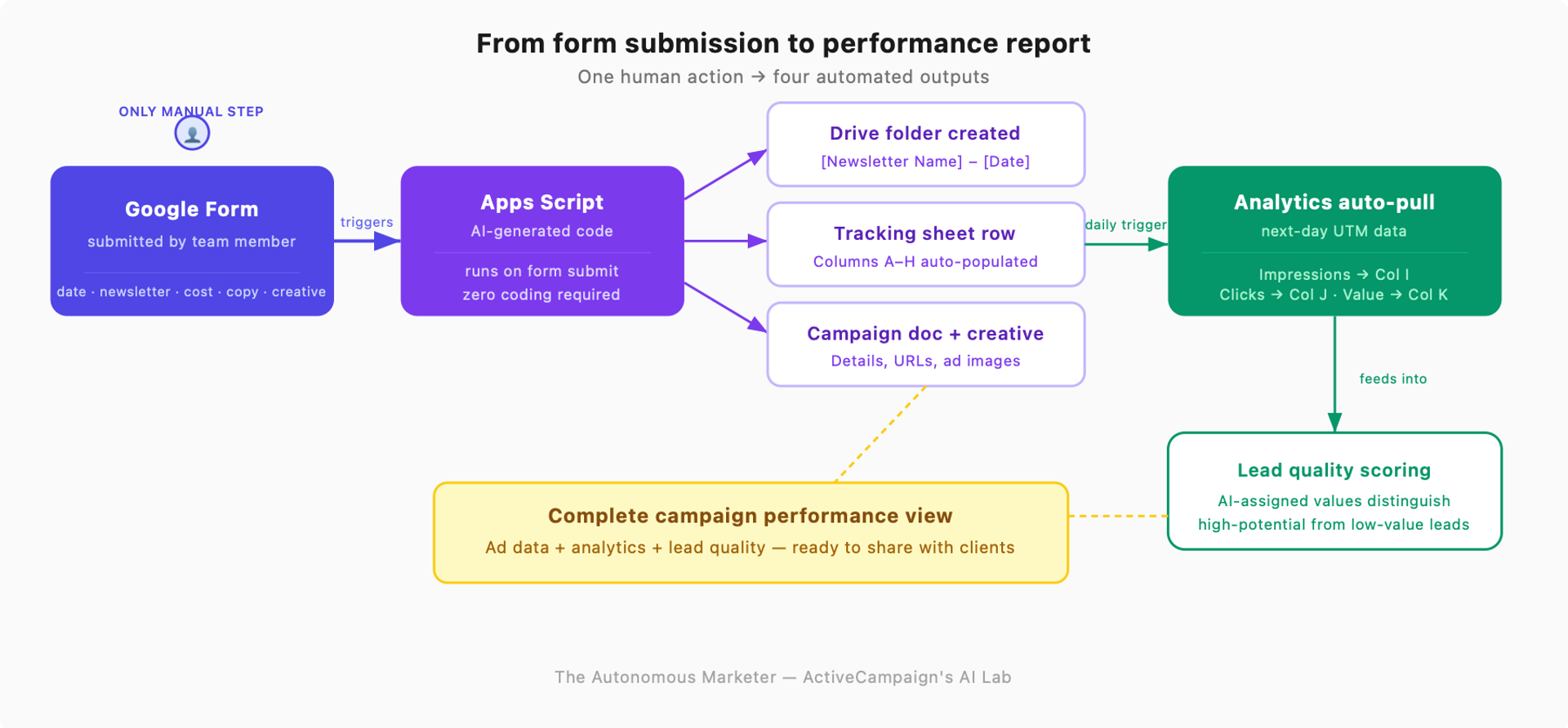
Let’s get into the weeds. Here’s what it looks like, starting with the newsletter itself:
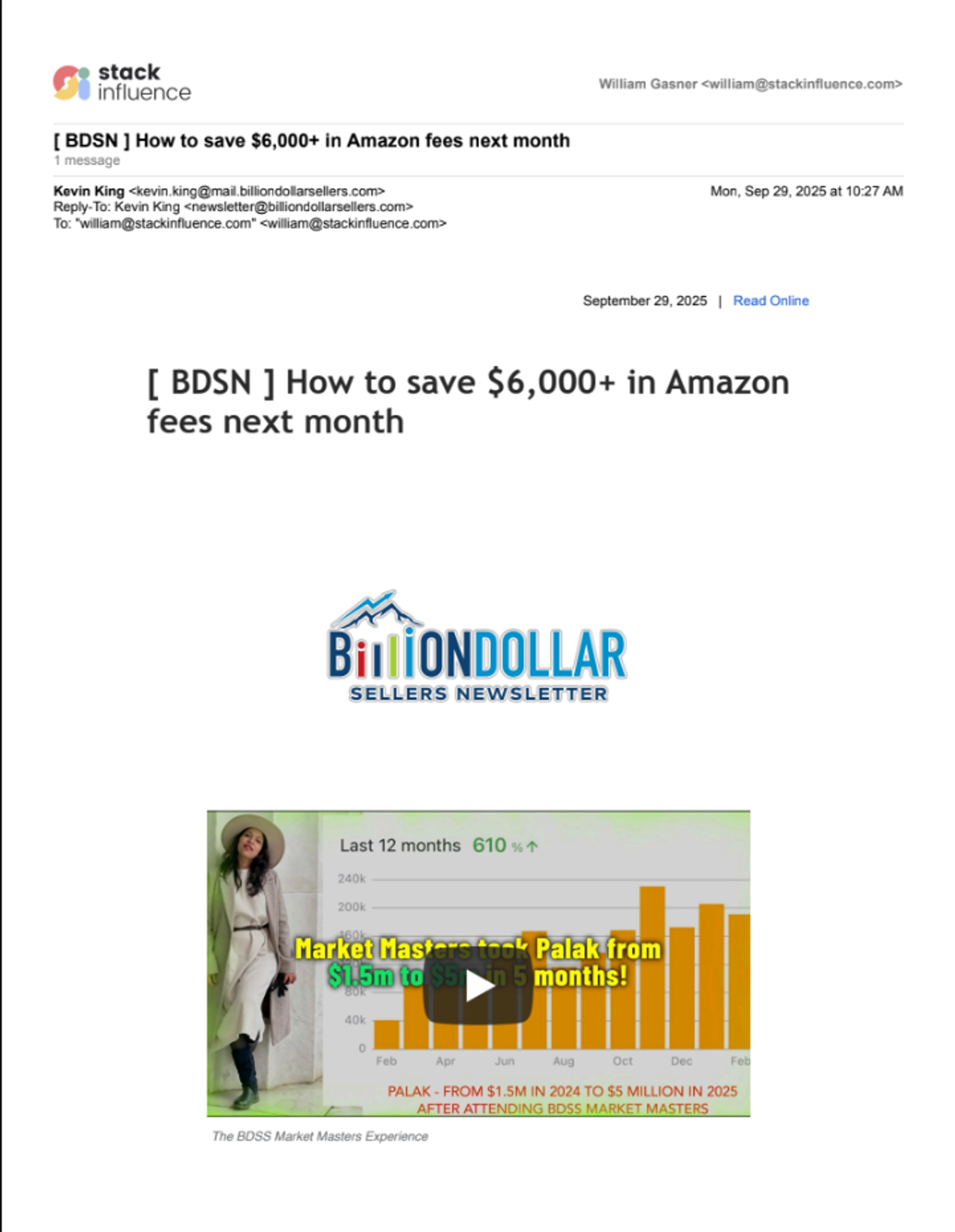
A preview of the Stack Influence newsletter. You can sign up here.
The reporting problem that grew with every campaign
Previously, the newsletter process was chaotic.
“It was scattered and very clustered in different locations and hard to find,” Goodwillie explains. Getting a complete picture of any given campaign meant pulling data from Google Analytics, their email service provider, and wherever the creative assets lived—then manually pairing it all together.
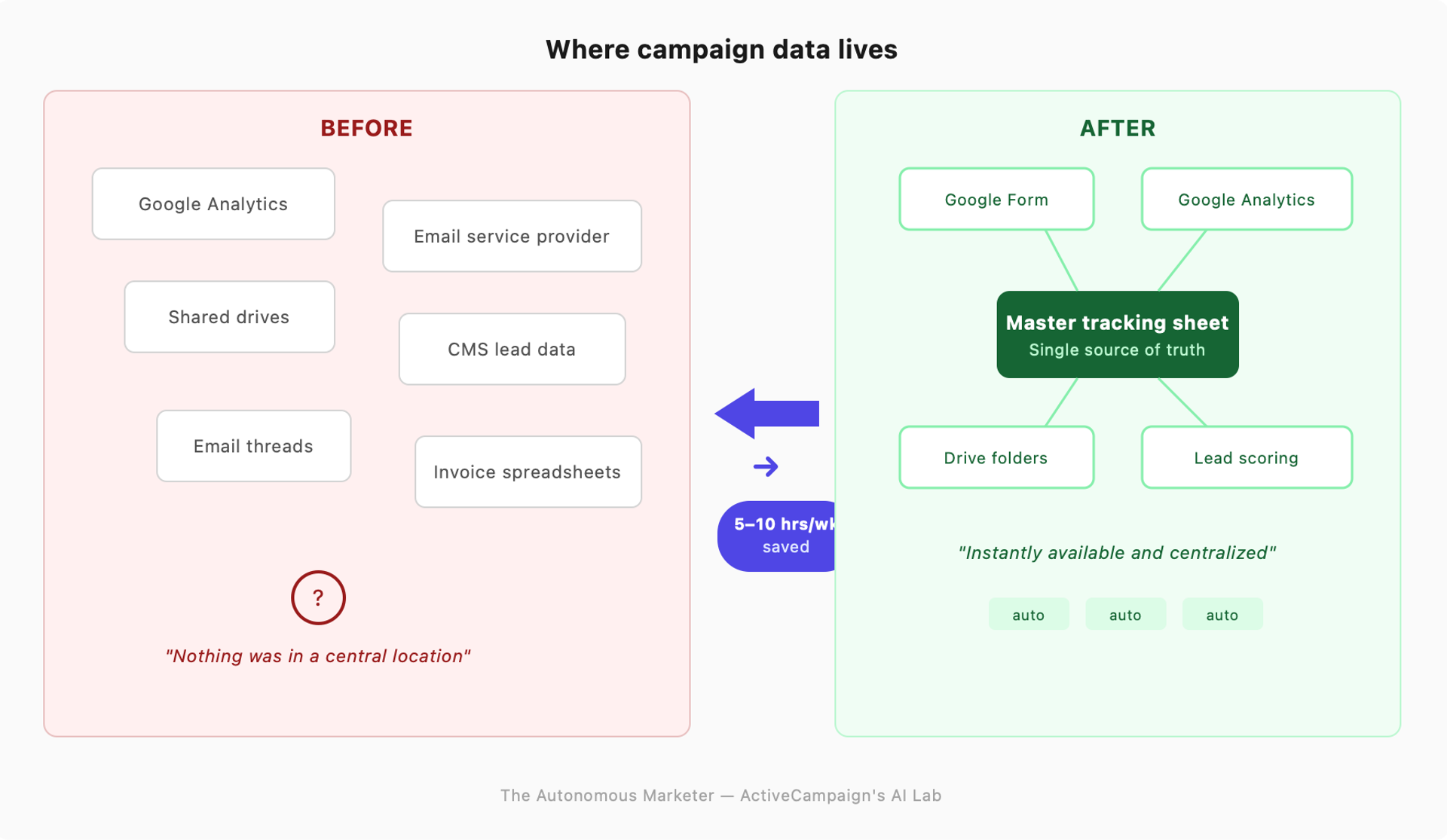
“Nothing was in a central location,” he says.
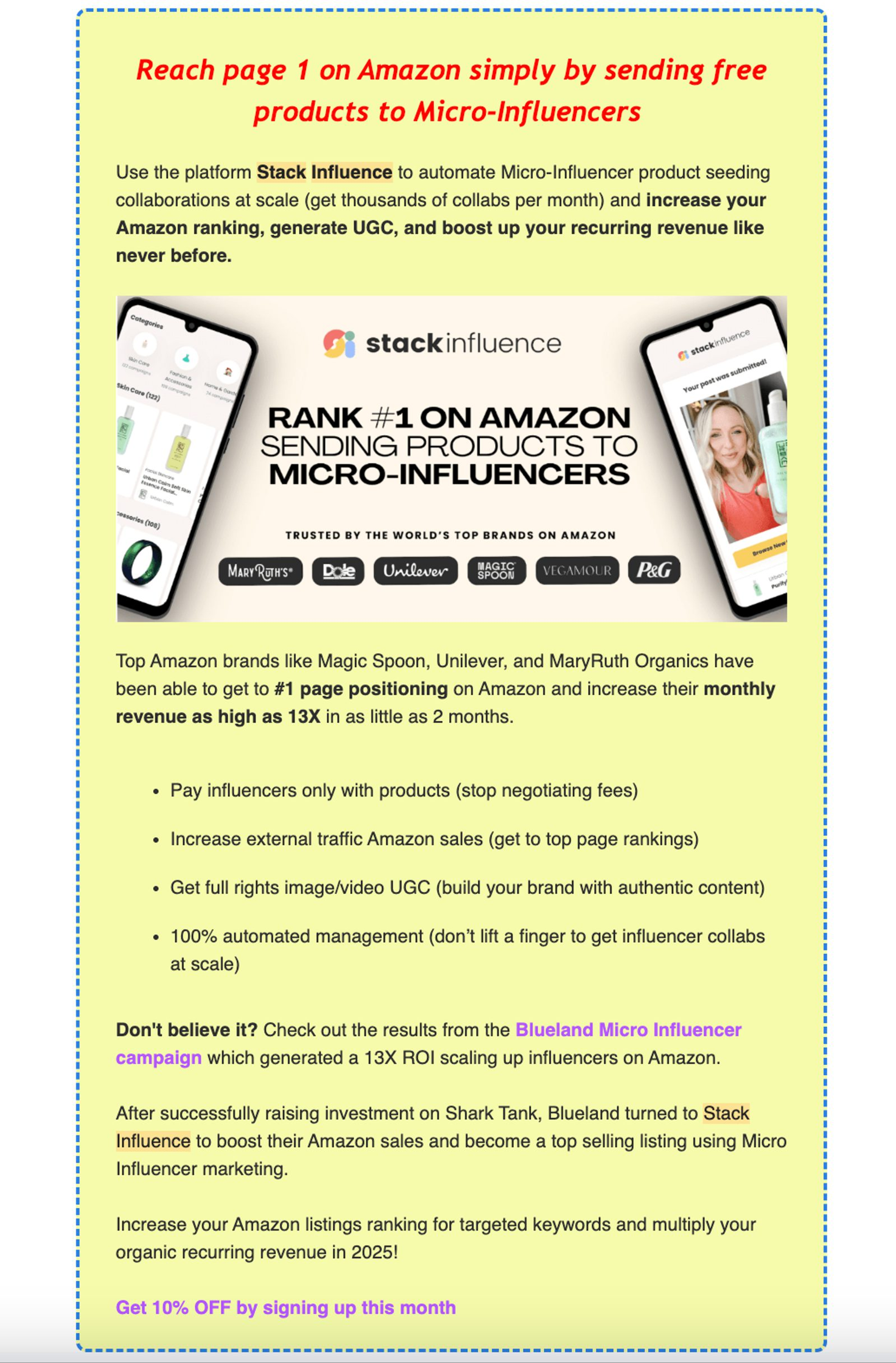
A sample ad created via the autonomous marketing process below
Before the overhaul, ad performance data and creative assets were spread across emails, shared drives, and analytics platforms. If someone wanted to see how one ad compared to another, they had to dig through Google Analytics, match those results to our CMS lead data, and then track down the right creative file.
Goodwillie built his system using Google Gemini. Each time a new newsletter ad runs, the Stack team fills out a simple Google Form with key details:
- send date
- newsletter name
- invoice number
- cost
- ad placement type
- ad copy
- creative file
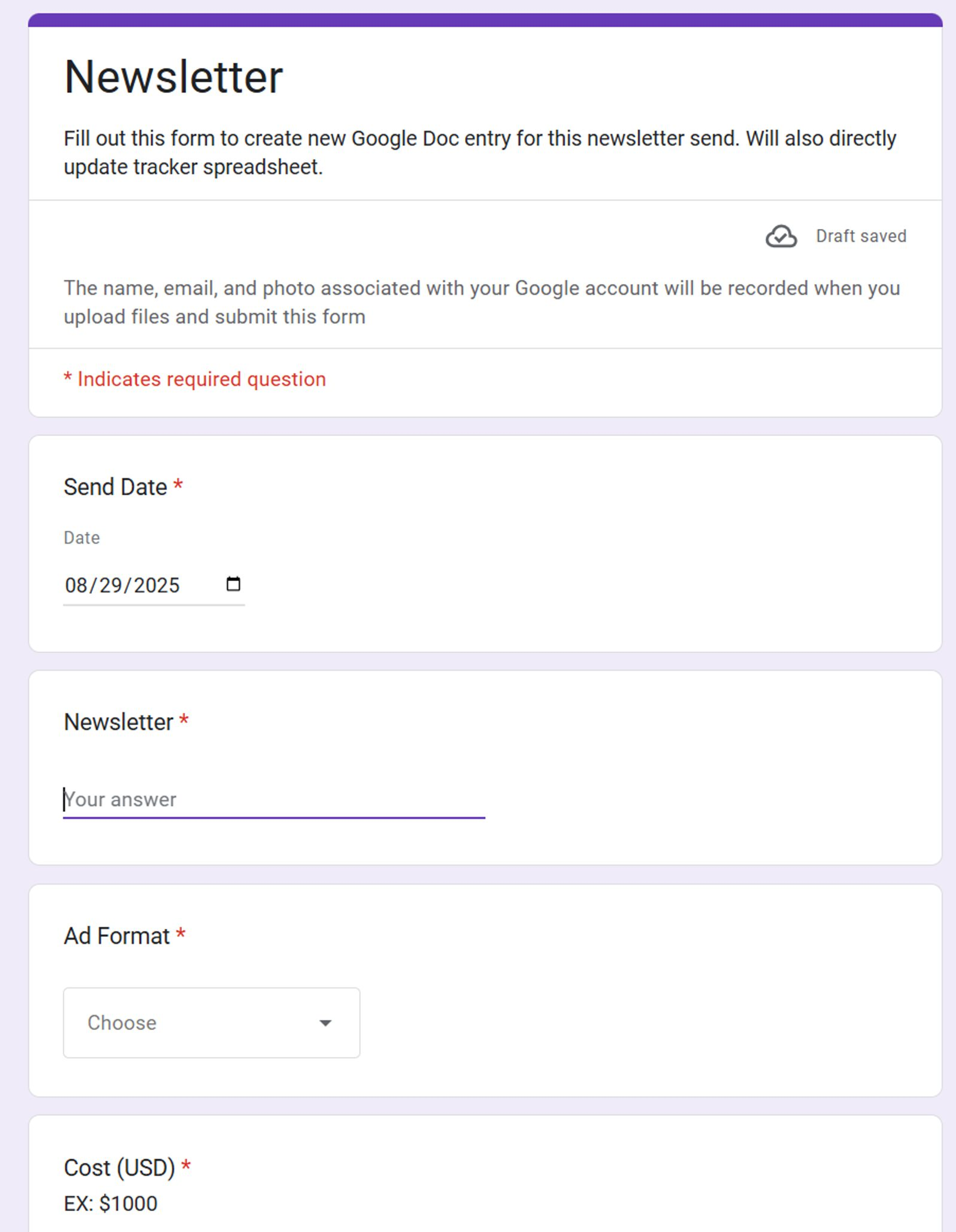
Goodwillie’s Google Form in action.
All of the data, assets, and details are then stored in one place, making it easier to analyze results, compare campaigns, and share performance with clients.
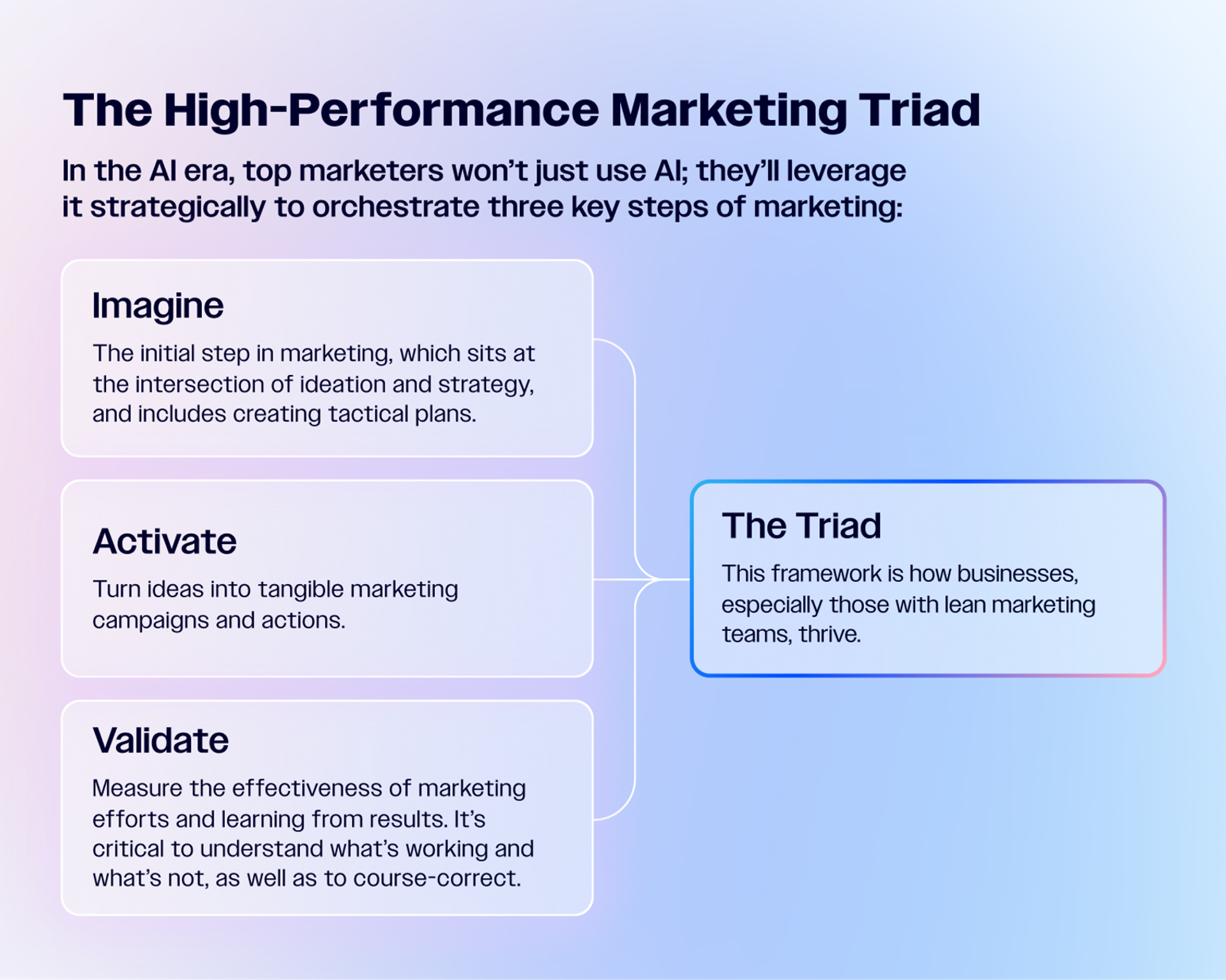
The three aspects of the High-Performance Marketing Triad. Read on to see how James’ workflows fit in.
The streamlined workflow covers the activate and validate parts of the Triad. It not only centralizes data but also frees up time, allowing the team to quickly evaluate which ads perform best and make smarter decisions for future campaigns.
Here’s how the workflow changed before vs. after using AI:
Step 1. The Apps Script that automatically organizes your campaign folders
Once the Google form is created, Goodwillie uses the Apps Script function to kick off each step. You can do the same. And if you don’t know how to code, don’t worry. Goodwillie used Google Gemini to generate the code he needed.
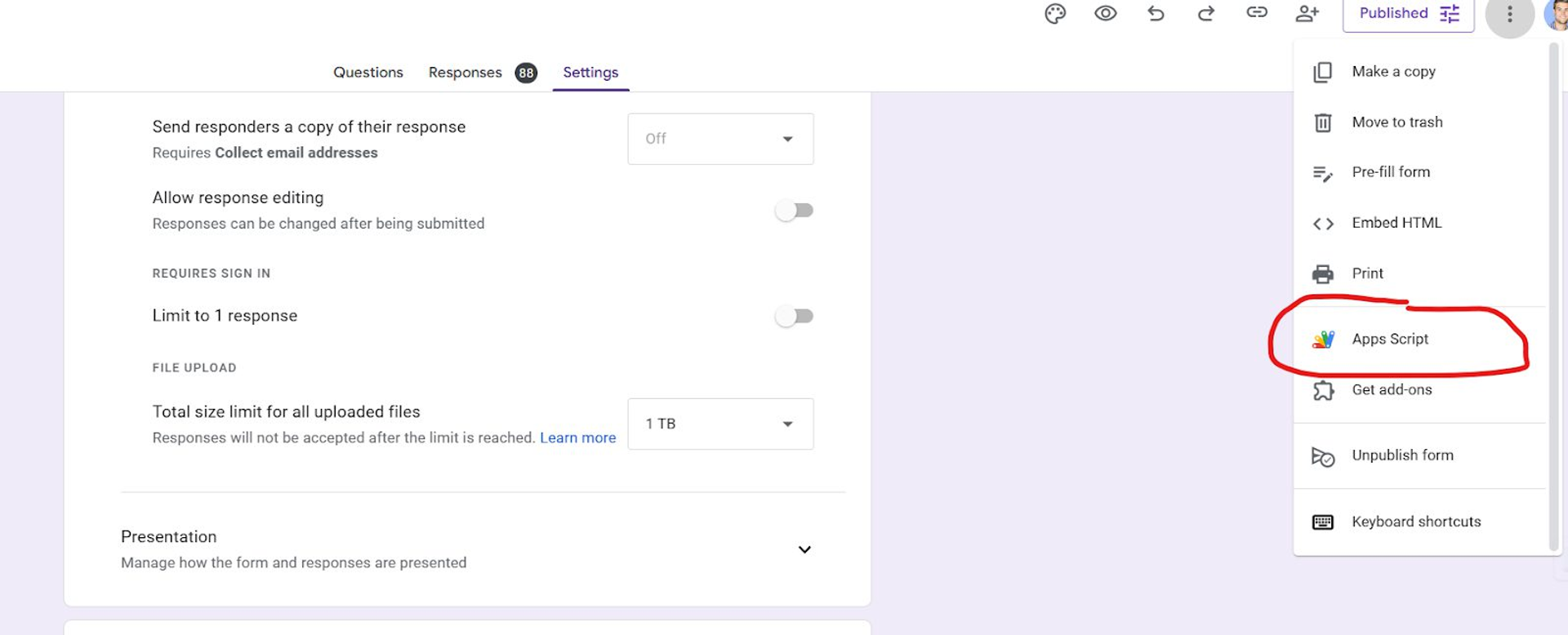
Find “Apps Script” in the Google Forms menu.
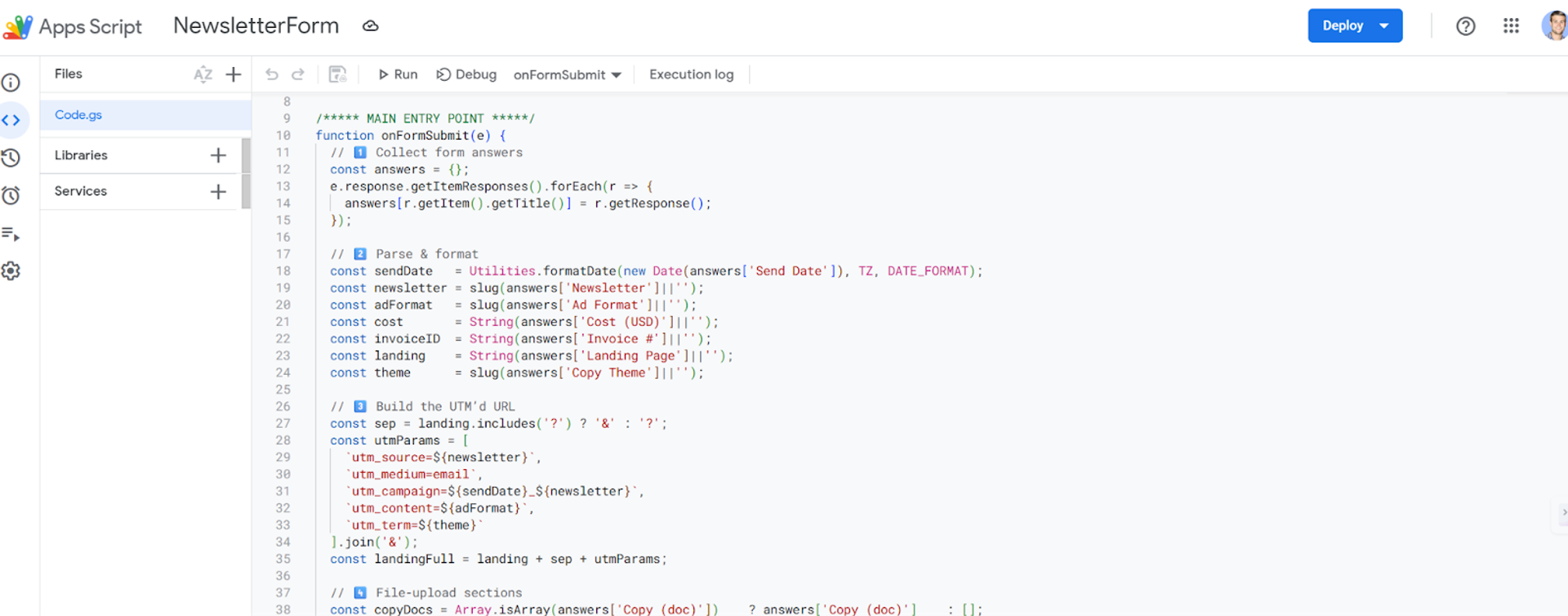
Code that kicks off the workflow, generated by Gemini.
When a form is submitted, it:
- Triggers the creation of a new Google Drive folder labeled with the newsletter and date.
- Inside that folder, the system automatically generates a Google Doc with all campaign details—including tracking URLs—and a subfolder containing the ad images.
- At the same time, the campaign details are fed directly into a master tracking sheet, eliminating the need for anyone to copy and paste data.
Step 2. The script that pulls performance data while you sleep
Using another Gemini-generated script, Goodwillie connected Google Analytics directly to the tracking sheet. Each time a newsletter runs, the script automatically pulls in UTM data the following day—impressions, clicks, and a “Google value” field (a composite engagement metric Google Analytics uses to score the relative value of a session) without anyone having to manually log into multiple platforms.

A visual example of James’ tracking sheet.
Everything seen in columns A through H is generated based on what was filled in the Google Form. Columns I through K, on the other hand, are generated through the Google Analytics connection.
Step 3. Measuring quality, not just volume
Goodwillie customized those forms with the help of ChatGPT so that responses are assigned values—high-potential leads, for example, score higher. Those values feed back into Google Analytics and the tracking sheet, giving the team richer insights into whether an ad attracted the right kind of client, not just the cheapest lead.
Here are the criteria that the system uses to make those decisions and the Gemini thread that guided the process:
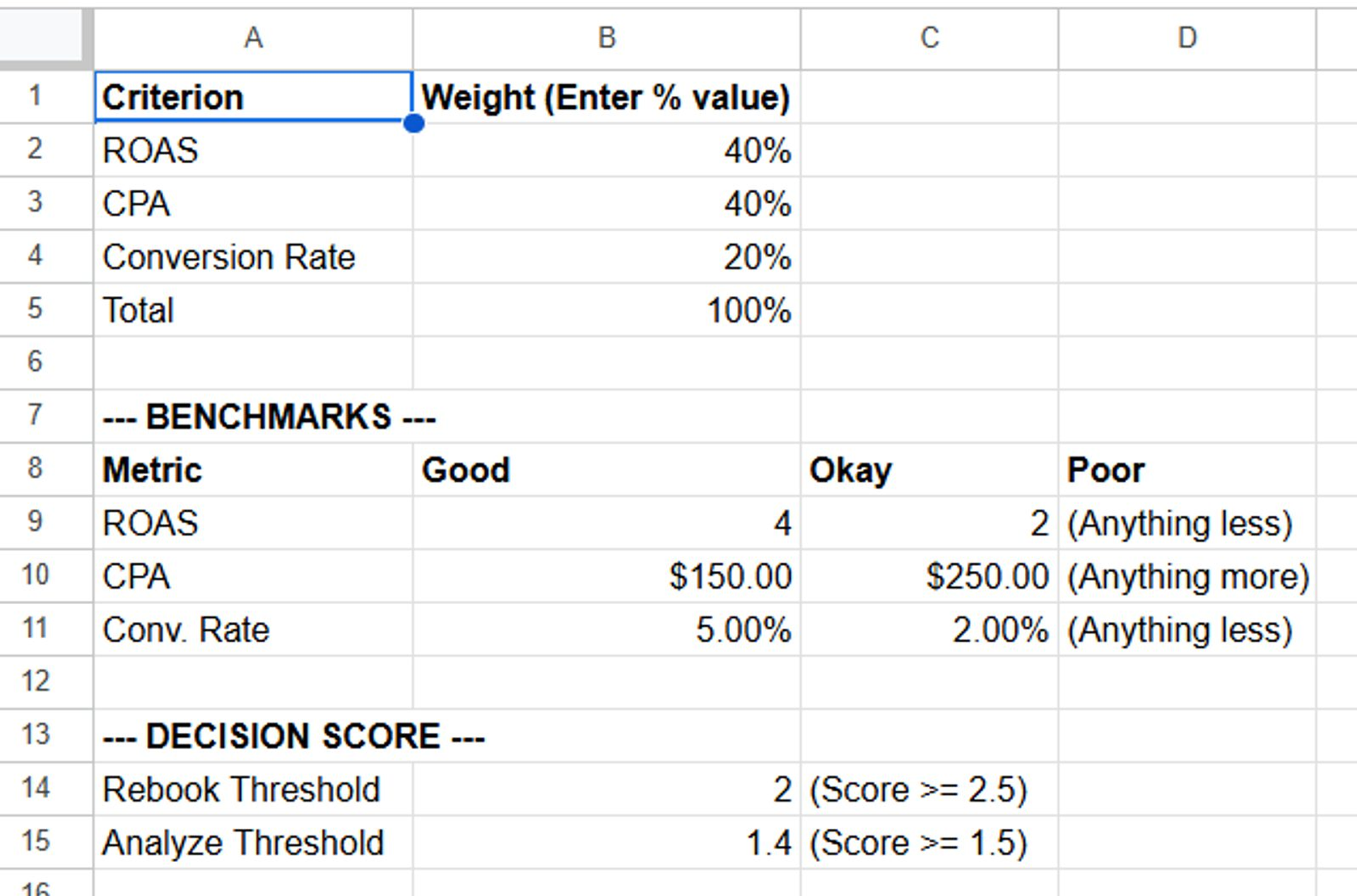
Aligning leads with opportunities.
Step 4. Campaign results that are ready to share the moment they exist
On the client side, the new workflow makes sharing simple and secure.
If a brand wants to review the copy or creative from a specific campaign, Stack Influence can give them access to the relevant Google Drive folder without exposing any other internal files. Each campaign has its own neatly packaged folder with all assets and data ready to share.
Campaign data that used to take hours to assemble is now instantly available and centralized. The marketing team can see performance, creative, and cost details at a glance, making it easier to optimize ad spend and quickly share materials with clients when needed.
While it’s still early to measure direct revenue gains, the system has already influenced budget allocation. In some cases, newsletters that the team was hesitant to invest in have proven to deliver high-quality leads, prompting a shift in marketing dollars.
“The biggest value is being able to make those adjustments without deep-diving into Analytics and our CMS every time,” notes Goodwillie.
Start with what wastes time, then automate it
For Stack Influence, AI isn’t about replacing people. It’s about freeing them to focus on higher-impact work. Goodwillie plans to keep using tools like Gemini to make marketing processes faster, more organized, and more targeted without sacrificing quality.
“Optimizing systems, processes, and ourselves so we can move faster without losing quality has been the biggest focus over the past two years,” he says.
Ready to build your own AI newsletter infra?
Based on James’ story, we’ve put together these resources to help you steal this autonomous marketing workflow:
- Step-by-Step Checklist: Here’s the detailed implementation guide so you can build newsletter ad tracking using Google Forms, Apps Scripts, and AI.
- One-Pager: Before you dive in, you can also get an overview of what it takes to build, including what tools you’ll need.
Resources to replicate James' workflow